.png&w=1920&q=75)

How We Build Vendor Portals With Automatic Split Payments
If your business takes payments from customers and then pays out to vendors, dealers, or service providers after keeping your cut, you know where the pain is. Working out who is owed what. Sending payouts by hand. Vendors messaging you asking what they earned and why the number is what it is. The admin grows with every vendor you add.
We build marketplace platforms that make all of that go away. Your vendors onboard themselves, link their own bank securely, get their share of every sale automatically, and see their earnings, withdrawals, and fees in their own dashboard. Here is how it works, in plain language.
Short answer: yes, this can all run itself
Vendor payouts do not have to be a manual job. The splitting, the payouts, the identity checks, and the "what did I earn" questions can all be handled by the platform, automatically, on rules you control. That is exactly what we build, and here is how it works.
The simple idea: payments that split themselves
A customer pays on your platform, a normal checkout. At that moment, the money splits automatically. Your commission stays with you. The vendor's share is theirs, and reaches their bank without you ever moving money by hand.
You never send a manual payout. You never sit on your vendors' money like a bank. You never touch their bank details. The technology behind this is called Stripe Connect, the same trusted payments system the big marketplaces run on. We set it up so it runs quietly in the background.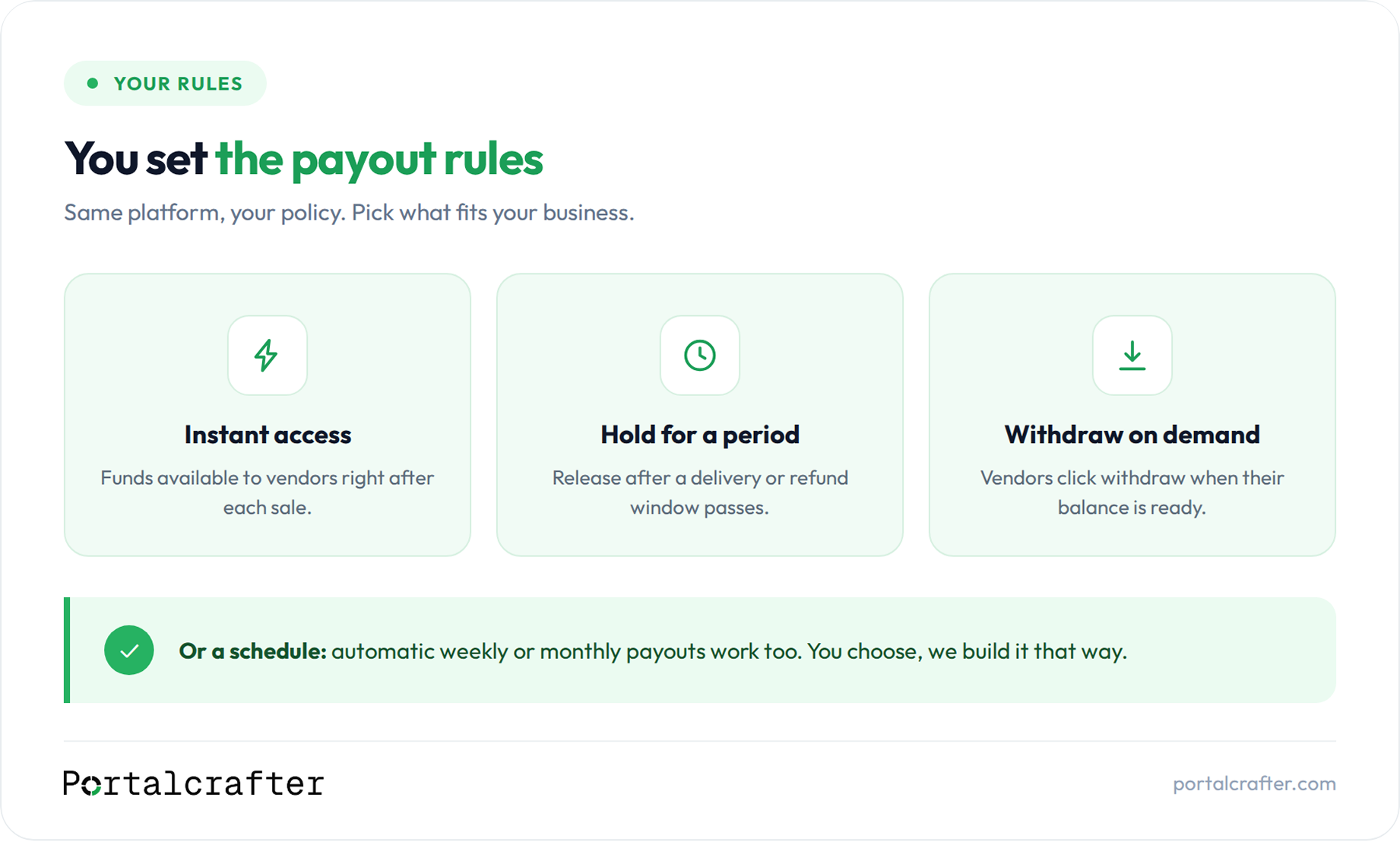
You decide how and when vendors get paid
The payout rules are yours to set:
- Instant access. Funds from each sale become available to the vendor right away.
- Hold for a period. Release funds after a delivery or refund window passes, so you are protected on returns and disputes.
- Withdraw on demand. Vendors get a "Withdraw funds" button. When their balance is available, they click it and the money goes to their bank.
- Or a schedule. Automatic weekly or monthly payouts work too.
Same platform, your rules. Every vendor sees exactly where their balance stands: available now, on hold, and already paid out.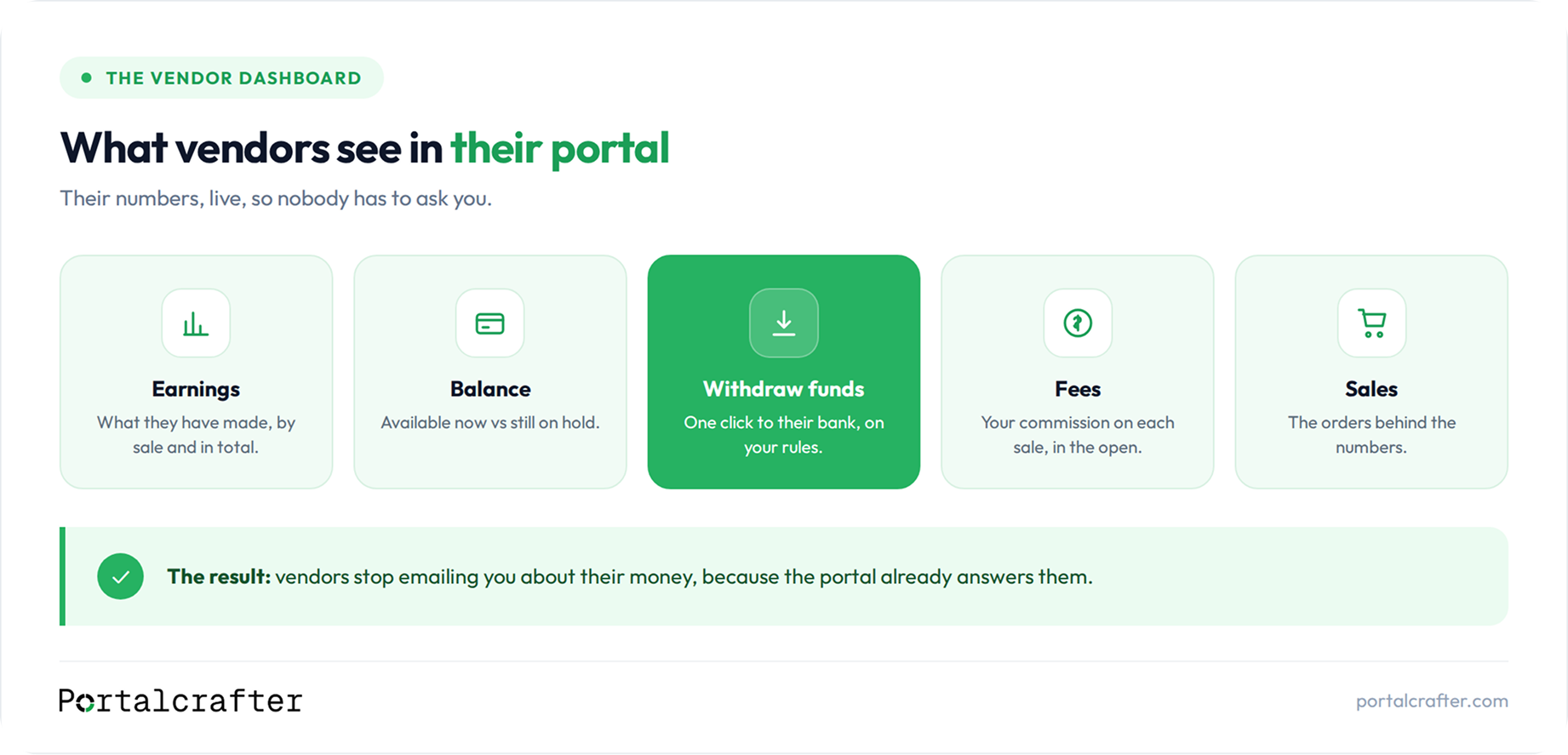
The portal: what your vendors actually see
Self-service onboarding. A new vendor signs up, fills in their details, and clicks one button to set up payments. A quick, secure Stripe step links their bank and confirms their identity (a standard legal check that keeps fraud off your platform). No emailing bank details around, no paperwork for you.
Their own dashboard. Earnings by sale and in total. Balance, available vs on hold. Withdrawals, what was sent and when. Fees, your commission on each sale, in the open. Their orders behind the numbers.
No more "what did I earn this month" messages. Vendors trust a platform where they can see their money clearly, and they stay. It is the same principle behind every client portal we build: give people their own numbers and the support emails stop.
Your side. The owner's view: every vendor, every sale, every split, held and released funds, and your commission across the platform, live.
Who this works for
If money comes in from customers and goes out to the people who provide the product or service, this fits:
- Multi-vendor e-commerce, your own Amazon or Etsy style marketplace, or a store that outgrew a single-seller setup on Shopify, WooCommerce, Wix, Squarespace, or WordPress
- Consultant marketplaces: medical consultants, legal advisors, marketing consultants, financial advisors, business coaches
- Health and wellness: doctor and telehealth booking, therapy platforms, yoga and fitness platforms where trainers get their share of every booking
- Education: teacher and tutor marketplaces, course platforms with multiple instructors, music and language tutors
- Services and bookings: home services, salons, photographers, tour guides, event professionals
If your version is not on the list, the pattern still fits: customer pays the platform, the platform keeps a cut, the provider gets the rest, automatically.
How we build it
Three pieces, and we handle all of them.
The database. Vendors, orders, rates, fees, and balances all live in one place. Softr DB keeps that inside the same system as the portal, which is where most of our new builds start. Airtable works just as well and is the right call if you are already on it and your team lives in the grid every day. And if you already run on something else, Google Sheets, Notion, Postgres, a Shopify or WooCommerce store, or an existing CRM, we can usually build the portal on top of that instead.
Softr is the portal your vendors and customers actually use, under your brand.
Stripe Connect is the money: the splits, the secure onboarding, the hold-and-release rules, and the payouts.
We start by looking at what you already run on. Nobody should rebuild a working system to get a vendor portal. We wire the pieces together around your rules, your commission structure, your payout policy, how vendors join, and what each vendor sees. Already on Airtable and wondering how it pairs with Softr? Our Softr vs Airtable breakdown covers that setup in two minutes
What it costs
A custom-coded marketplace with split payments is typically quoted at $25,000 to $60,000 and four to six months. We ship the same outcome for a fraction of that, in weeks, with transparent fixed pricing published on our site, no quote games. One of our builds saved the client an estimated $30,000 to $50,000 versus custom code; the numbers are in our portfolio.
Frequently asked questions
Do I hold my vendors' money at any point? Your commission is separated at checkout, and the rest is the vendor's. If your policy holds funds for a period, the hold happens inside the payment system under your rules, not in your bank account, and vendors can see what is held and when it releases.
Can vendors withdraw money themselves? Yes, if you want them to. A "Withdraw funds" button for their available balance, or automatic schedules, whichever fits your policy.
Do I handle vendors' bank details or identity checks? No. Stripe runs the verification and stores the details. You never touch them. Your own business taxes remain your side, so keep your accountant involved.
Do I have to move my data? No. If your data already lives somewhere that works for you, we build around it. Moving it only makes sense when the move solves a problem you already have.
Can I set different commission rates for different vendors? Yes. Flat, percentage, tiered, per-vendor, all workable.
How long does it take to build? Weeks, not months, because it is built on Softr and Airtable rather than raw code, and it is easy to adjust after launch.
The short version
If your platform takes money from customers and pays out to vendors, dealers, or providers, the payouts do not have to be the messy part. A vendor portal with Stripe Connect splits every payment automatically, on rules you set, instant, held, or withdraw on demand, and gives every vendor their earnings, balance, and fees in their own dashboard, so nobody has to email you. The database is a choice, Softr DB, Airtable, or what you already run, and the whole thing ships in weeks, not months.
Hire a Softr developer who has shipped this before, or book a free 30-minute call and we will map out how your money should flow: https://calendly.com/vaibhavgarg0632/30min


 Stripe
 Softr
Softr