.png&w=1920&q=75)
Softr vs Airtable: Which One Do You Actually Need?
Here is the thing nobody tells you when you type this into Google. Softr and Airtable are not competitors.
Asking “Softr vs Airtable” is a bit like asking “engine vs car.” One goes inside the other. They are built to work together, and most of the projects we take on use both. So the real question is not which one wins. It is whether your project needs just the database, or the database plus an app on top of it.
Let me untangle it, because once you see how the two fit, the choice makes itself. 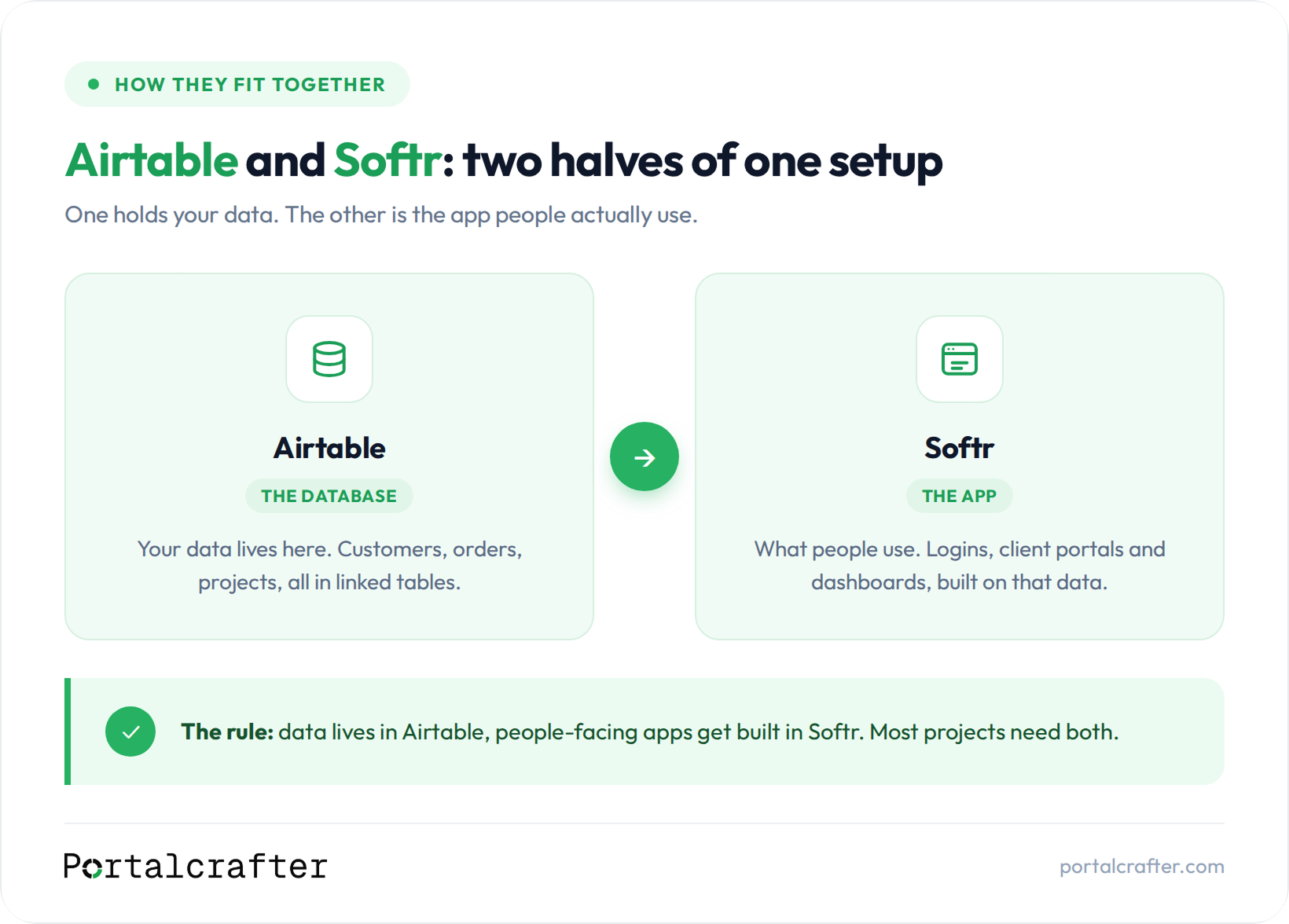
The short answer: they are not competitors
What Airtable actually is
What Softr actually is
When you only need Airtable
Plenty of businesses never need Softr at all. You only need Airtable when the people using the data are your own team, and everyone is comfortable working inside Airtable directly.
For example, a small consultancy that tracks its clients, projects, and deadlines internally. The team opens Airtable, updates records, checks the calendar, runs the business. Nobody outside the company ever needs to log in. That is an Airtable-only setup, and adding Softr would just be extra cost for no reason.
If your answer to “who uses this” is “only us, internally,” you may well be done at Airtable.
When you need Softr on top
You need Softr the moment someone outside your core team needs to log in and interact with the data in a controlled, presentable way.
Take that same consultancy, but now they want each client to log in to a portal and see their project status, download deliverables, and submit requests. You cannot do that cleanly by handing out Airtable access. This is exactly the job Softr was built for. Airtable still holds all the data. Softr becomes the polished, permissioned window the clients look through.
The trigger is almost always the same: customers, members, applicants, or partners need their own logged-in experience. When that is the need, you add Softr on top of your Airtable base.
The combination most businesses land on
Here is where most of our clients end up: Airtable as the engine, Softr as the interface.
The data lives and is managed in Airtable, where the team works. Softr turns the relevant slices of that data into a client portal, an internal tool, a member site, or a directory that the outside world uses. Update a record in Airtable and it updates in the Softr app instantly, because they are connected.
This combination is powerful precisely because each tool does the thing it is best at. Airtable manages data. Softr presents it. You are not forcing one tool to do a job it was never designed for.
So when you frame it as “Softr vs Airtable,” the honest answer for most real projects is “both, in that order.” You build the database first, then the app on top.
Frequently asked questions
Can I use Softr without Airtable?
The short version
Softr vs Airtable is the wrong framing, because they are teammates, not rivals. Airtable is the database where your information lives and where your team works. Softr is the app builder that sits on top and gives outside users a polished, logged-in way to interact with that data. You need only Airtable when the users are all internal. You add Softr the moment customers or members need their own experience. And most real projects use both, database first, app second.
Not sure which side of that line your project falls on? That is the exact call we help people make on a first call, before anyone spends a rupee or a dollar. Our pricing is published, no quote games. Book a free 30-minute call and we will tell you straight whether you need one tool or both: https://calendly.com/vaibhavgarg0632/30min

 Softr
Softr